Managers with access to multiple branches can now select which branch's templates to view and save to using a branch selector dropdown.
Single-branch managers won't see any changes - templates automatically save to your branch.
Managers with access to multiple branches can now select which branch's templates to view and save to using a branch selector dropdown.
Single-branch managers won't see any changes - templates automatically save to your branch.
Organise your template library with Published, Draft, and Archived status tabs at the top of your template list in CMA Studio.
When a property is owned by a company - company information (directors, shareholders, NZBN) now display automatically in the Overview section - no need to click an icon to reveal it. Click View Details to expand full company information.
Map overlay toggles now stay visible when you're zoomed out too far, instead of disappearing. Greyed-out toggles show a "Zoom in to view" tooltip on hover.
Search using macrons and diacritics - "Ōtāhuhu" or "Otahuhu", "Māngere" or "Mangere" all return the same results. Works across address, suburb, and street search.
Choose how long your AI-generated commentary should be with new word limit buttons - 50, 100, 150, or 200 words. The default is 100 words.
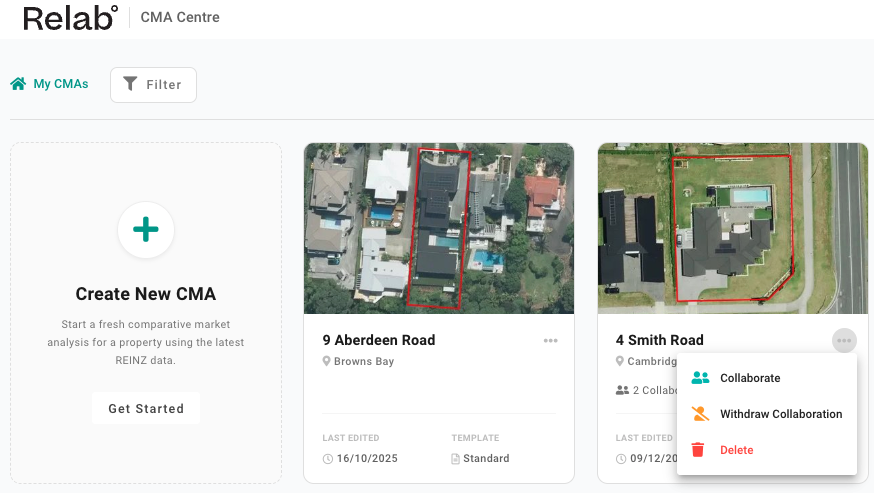
The CMA Centre now features a cleaner grid layout with aerial property covers.
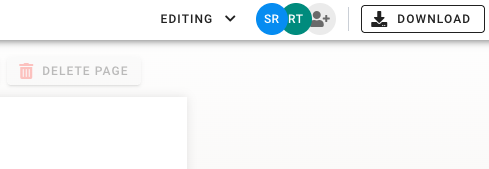
Collaborate on you CMA across your team in real time, just like a shared document.
Simply add a teammate by clicking the Add collaborator icon at the top of the CMA Studio or via the CMA Centre. Read more.
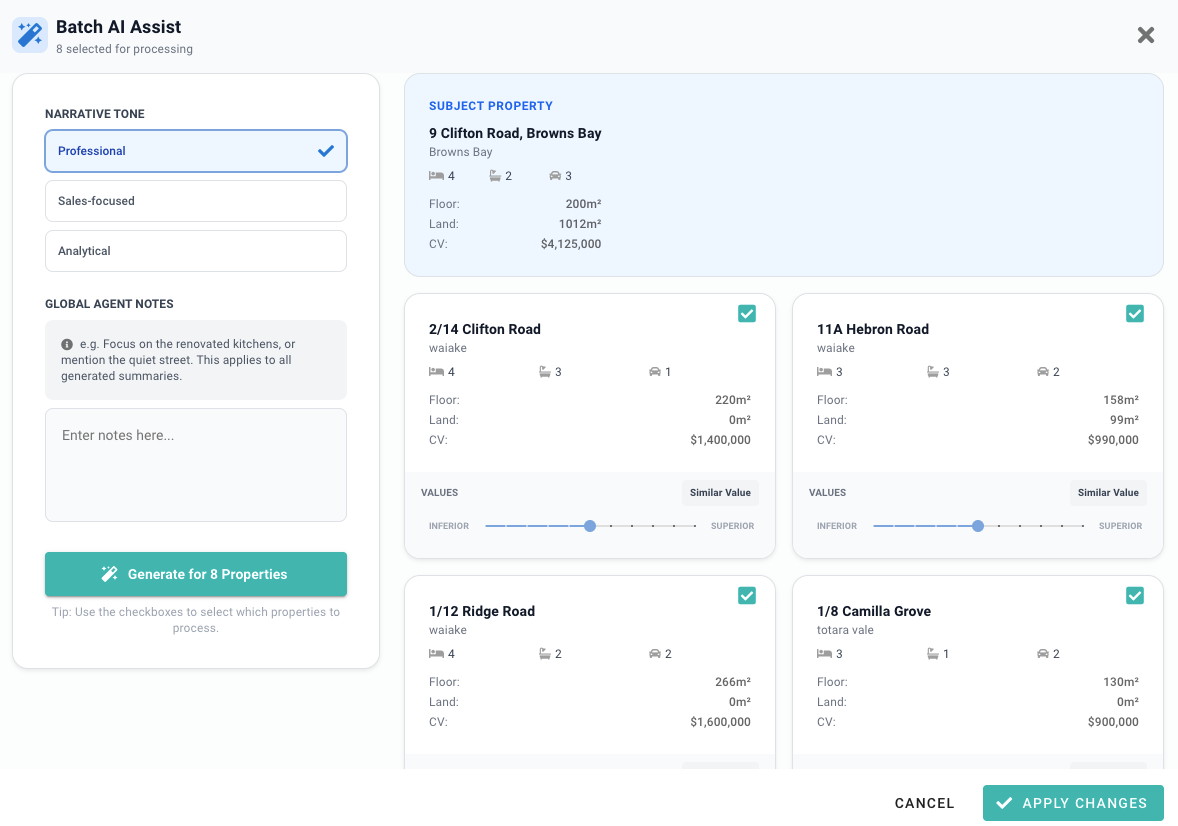
If you haven't tried our AI-powered comparable comments, the feedback has been amazing! Now you can apply the logic to multiple properties at once. This new tool accelerates your initial drafting process, allowing you to focus on high-level analysis.
AI is great, but can make mistakes - always proofread generated text before finalising to ensure accuracy!
Your CMAs now save in the background, so you'll never lose work if your browser closes unexpectedly. Work with total peace of mind.
Toggle auto-save on or off from the top left corner of the CMA Studio to work your way.
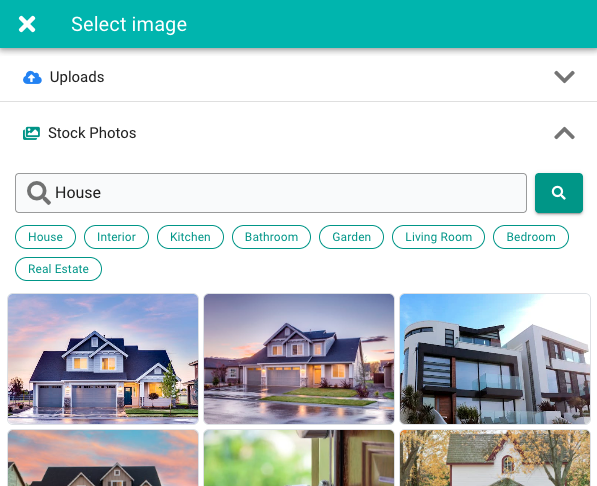
Enhance your CMA with our new built-in Stock Photo Library. Easily search and add professional images when property photos are missing or you need high-quality placeholders to complete your presentation.
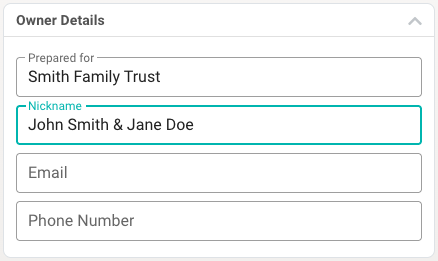
Keen to capture the legal name, but don't want to address your client as such? Now you can add a Nickname to your CMA, allowing you to quickly address clients by their preferred name in the letter while maintaining legal accuracy in formal fields.
Find the new field in your CMA Studio and insert in with dynamic field: @nickname